
For macOS and Windows
Sit better with a flower
A flower on your desktop mirrors how you sit. Slouch and it bends, sit upright and it stands tall. A calm reminder you notice out of the corner of your eye, without pop-ups and without sound.
Requires a webcam. Your camera image never leaves your computer.
Getting started
Set up in a few minutes
Install
Get Posturelia from the Mac App Store or the Microsoft Store.
Sit upright once
A short guided setup checks that the camera sees your head and shoulders. Then you sit upright for a brief calibration.
Keep working
The flower takes its place in the corner of your screen and mirrors how you sit. No pop-ups, no sound.
How it works
The flower does what you do
Posturelia puts a small flower in the corner of your screen. It watches your posture through the webcam and mirrors it, continuously and quietly.
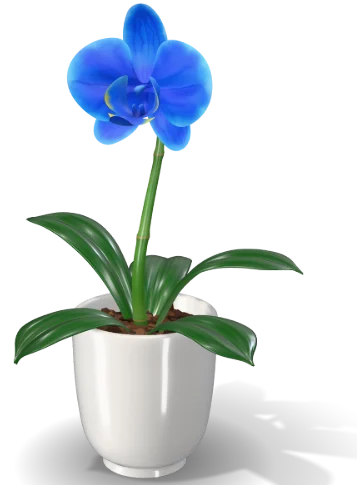
Sit upright
The flower stands tall.
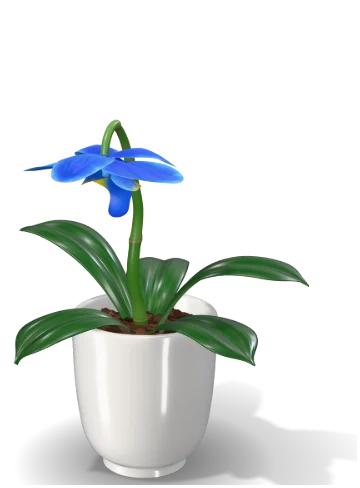
Round your back
The stem bends and the blossom hangs.
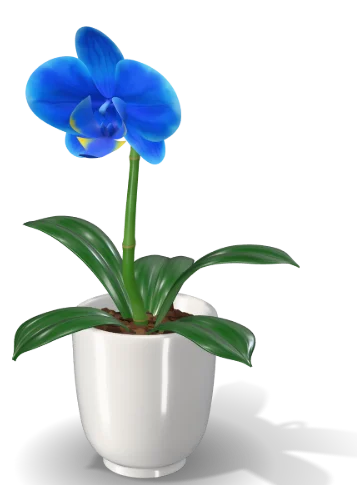
Lean towards the screen
The flower leans towards you.
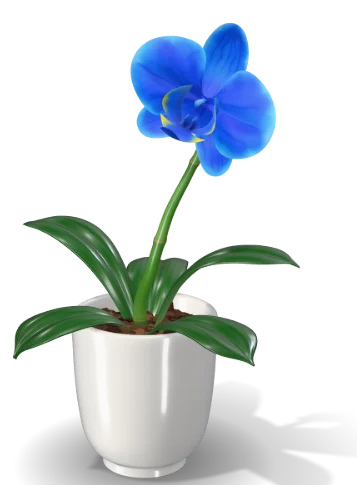
Lean to the side
The flower leans with you.
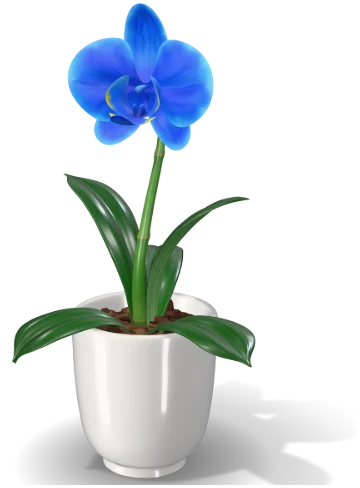
Raise your arms
Its leaves follow your arms.
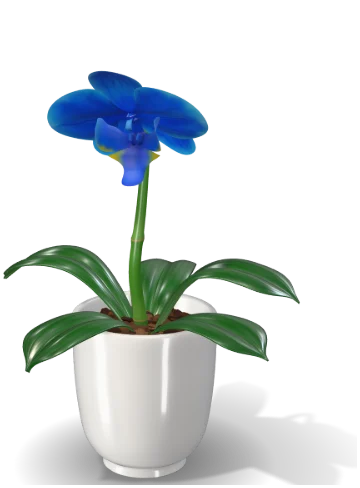
Sit still too long
The flower falls asleep. After a while of sitting, it gently reminds you to stand up and move.
Make it yours
Six flowers, eight pots
Every flower comes in its natural colours, and every flower goes with every pot. Each of the eight pot shapes comes in several materials, from glazes and stone to brass and glass. Set up several desks (home, office, standing desk), each with its own calibration and camera.
 Orchid
 Lily
 Sunflower
 Tulip
 Peace lily
 Hydrangea
Pot shapes
 Classic glossy
 Twist
 Pebble
 Sphere
 Faceted
 Wave
 Ribbed design
 Glass

Dashboard
See how you are doing
- Sitting time and share of good posture, per day and per hour
- Streaks and a daily goal
- A flower garden that grows with every good day
- A guided one-minute movement break
- Export of your history as CSV
Open it with a double-click on the flower, or from the flower symbol in the menu bar (Mac) or the notification area (Windows). Posturelia has no Dock icon.
Private by design
Your camera image stays on your computer
- The camera image is analysed on your computer and is never stored or sent
- The app makes no internet connections and works entirely offline
- No account, no tracking, no advertising
- Your statistics stay in the app’s folder on your computer
Not just a promise. In the Mac App Store version, macOS itself blocks network access: the app is only allowed to use the camera and the one file you choose when exporting.
This website, too. It sets no cookies and loads nothing from other servers. That is why you see no cookie banner here.
Background
Rooted in research
Posturelia goes back to a study by Matthias Wölfel, the developer of the app, published at PervasiveHealth 2017. In the study, an orchid projected onto the wall mirrored the posture of people working at their desks. Posturelia brings the same idea to your screen, with an ordinary webcam.
Instead of interrupting you with notifications, sounds or a dimmed screen, the feedback lives in your peripheral vision: a living flower that mirrors you and never asks for attention.
M. Wölfel: Acceptance of Dynamic Feedback to Poor Sitting Habits by Anthropomorphic Objects. PervasiveHealth 2017, Barcelona, pp. 307–314. doi:10.1145/3154862.3154928
Good to know
Posturelia runs on macOS and Windows and needs a webcam. Everything is controlled from the flower symbol in the menu bar or notification area, or with a right-click on the flower. The app speaks 14 languages: it starts in the language of your system, and you can switch under Language in the menu.
Posturelia is a wellbeing tool. It is not a medical device and does not diagnose, treat or prevent any condition.
Questions
Before you start
Does Posturelia slow my computer down?
Posturelia checks your posture about ten times per second, not on every camera frame, with a compact pose model that runs on your computer. That keeps the load low. When you pause tracking, the camera is switched off completely.
Can I still use my camera for video calls?
On a Mac, video calls and Posturelia can usually use the camera at the same time. On Windows, some cameras work with only one app at a time. If your call app can’t get the camera, choose Pause tracking in the menu for the length of the call.
Does it work at a standing desk?
Yes. Set up several desks, for example home, office and standing desk, each with its own calibration and camera, and switch between them under Desk in the menu.
Do I need an account or an internet connection?
No. Posturelia has no account and works entirely offline. The camera image never leaves your computer.
Follow Posturelia on Instagram
Flowers, pots, small tips for sitting well and news about the app: follow @posturelia so you don’t miss the launch.